Submitting an Issue
If you’re experiencing any issues, it’s easy to submit a ticket to us with detailed backend logs so our team can figure out what’s going on! Here’s how!
Submitting an issue (desktop app)
Email us
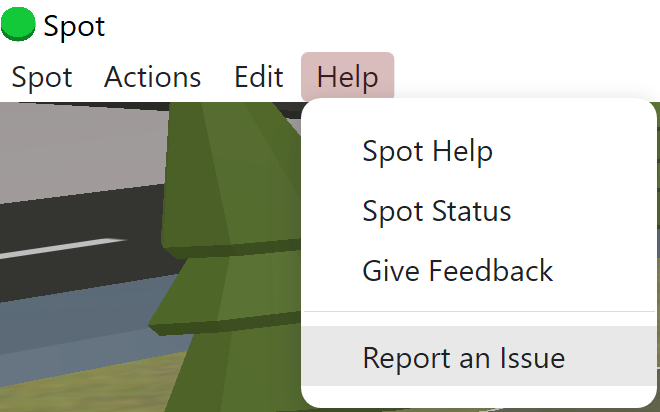
In the desktop app, look across the top of your screen for Help → Report an Issue
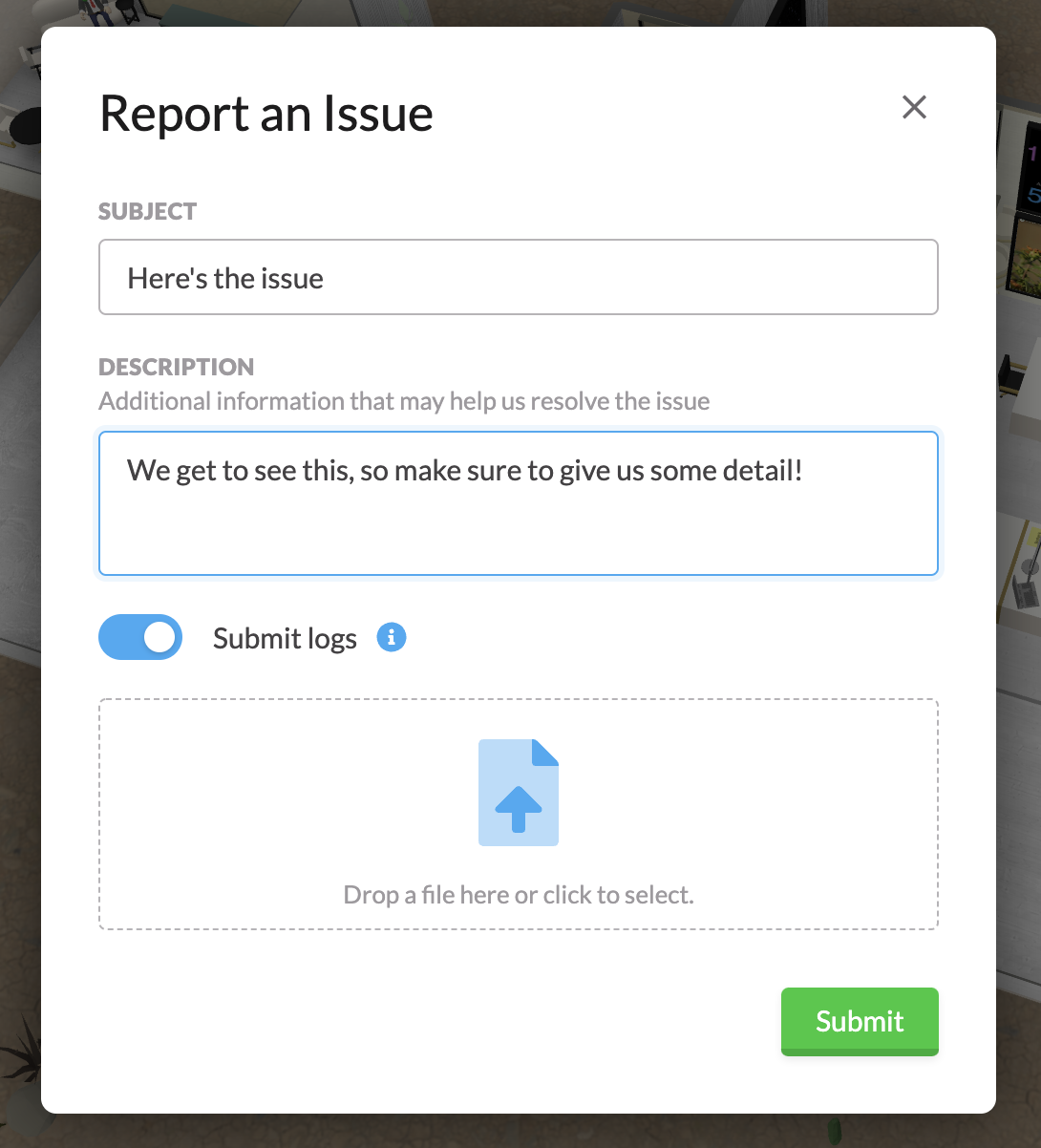
You’ll see a pop up that allows you to give us extra context to what went wrong.
Make sure to keep the toggle on for Submit Logs as this will allow our team to dive deep into what went wrong.
You can also upload any screenshots to help us diagnose!
If it’s easier to email us your issue, just drop us a note at support@spotvirtual.com