Enabling Spatial Audio
Here’s a step by step video of how to enable Spatial Audio.
Turning Spatial Audio on/off
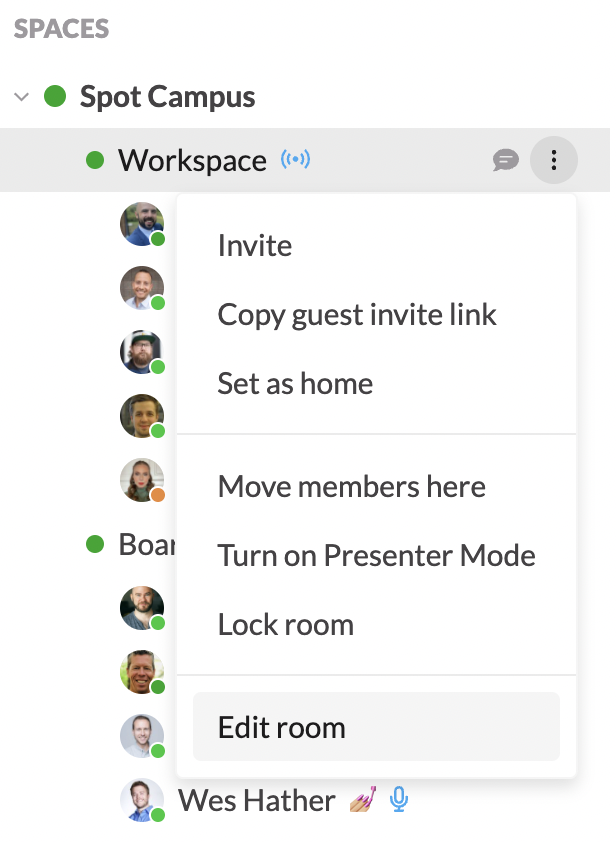
First, in your toolbar, hover over the name of the room you’d like to enable/disable spatial audio, then go to Edit Room
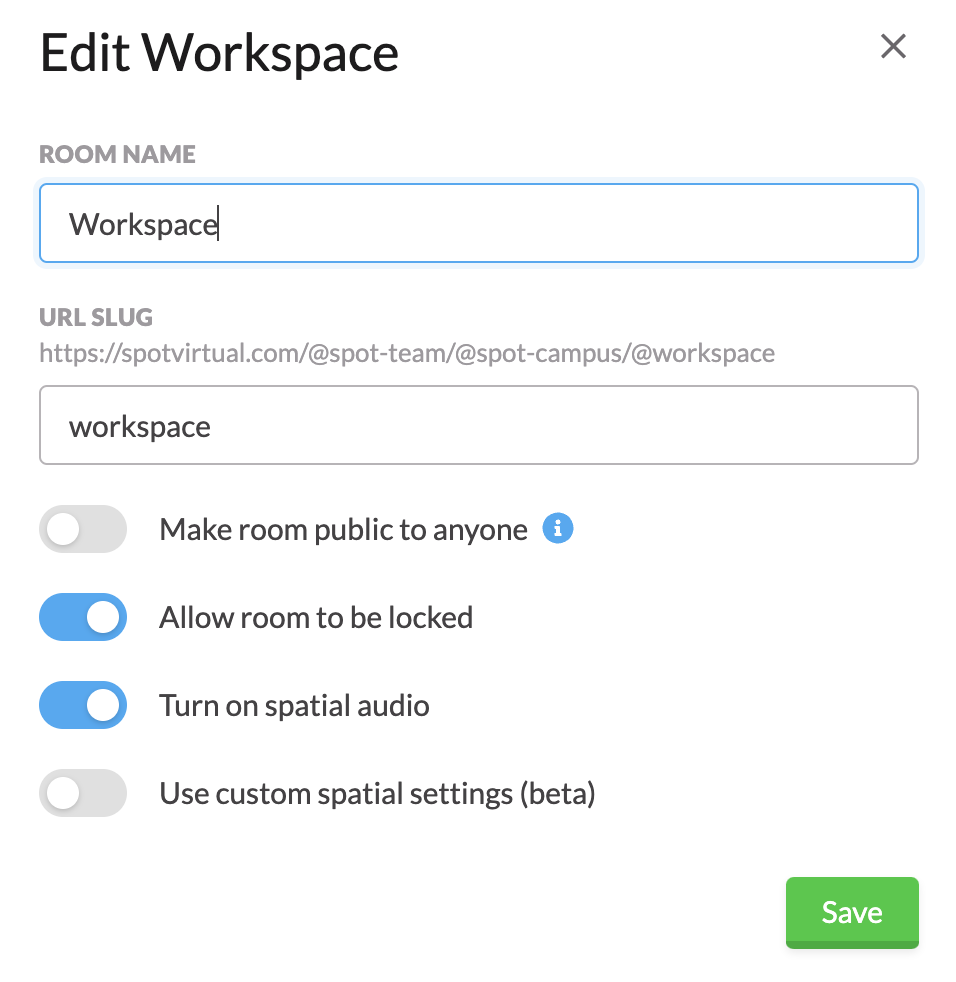
Look for the Turn on Spatial Audio toggle and ensure it’s enabled.
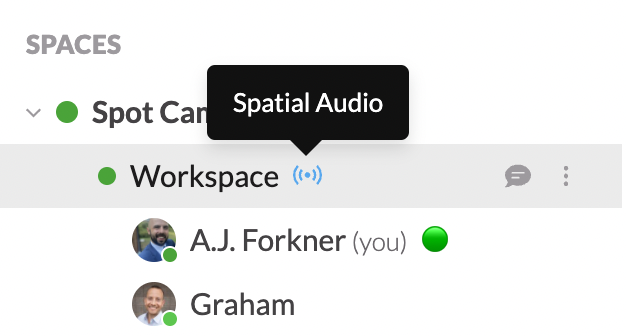
Once Spatial Audio has been enabled, you’ll see this icon appear next to any rooms that have Spatial Audio turned on.