Broadcast Zones
When you’re hosting an event, sometimes a Broadcast Zone will be helpful in getting your message out to the whole event, especially when Spatial Audio is enabled.
Think of it this way: When spatial audio is enabled, you’ll only be able to hear those around you or those in your spatial zone. When you step into a Broadcast Zone, you’ll be able to speak to everyone in the space.
Setting up a Broadcast Zone is easy - let’s try it out.
1) Go into Build Mode
2) Search for Spatial Zone
3) Select Spatial Zone, then look for the option under Type for Broadcast.
4) Look for the dropdown under Type that says Broadcast
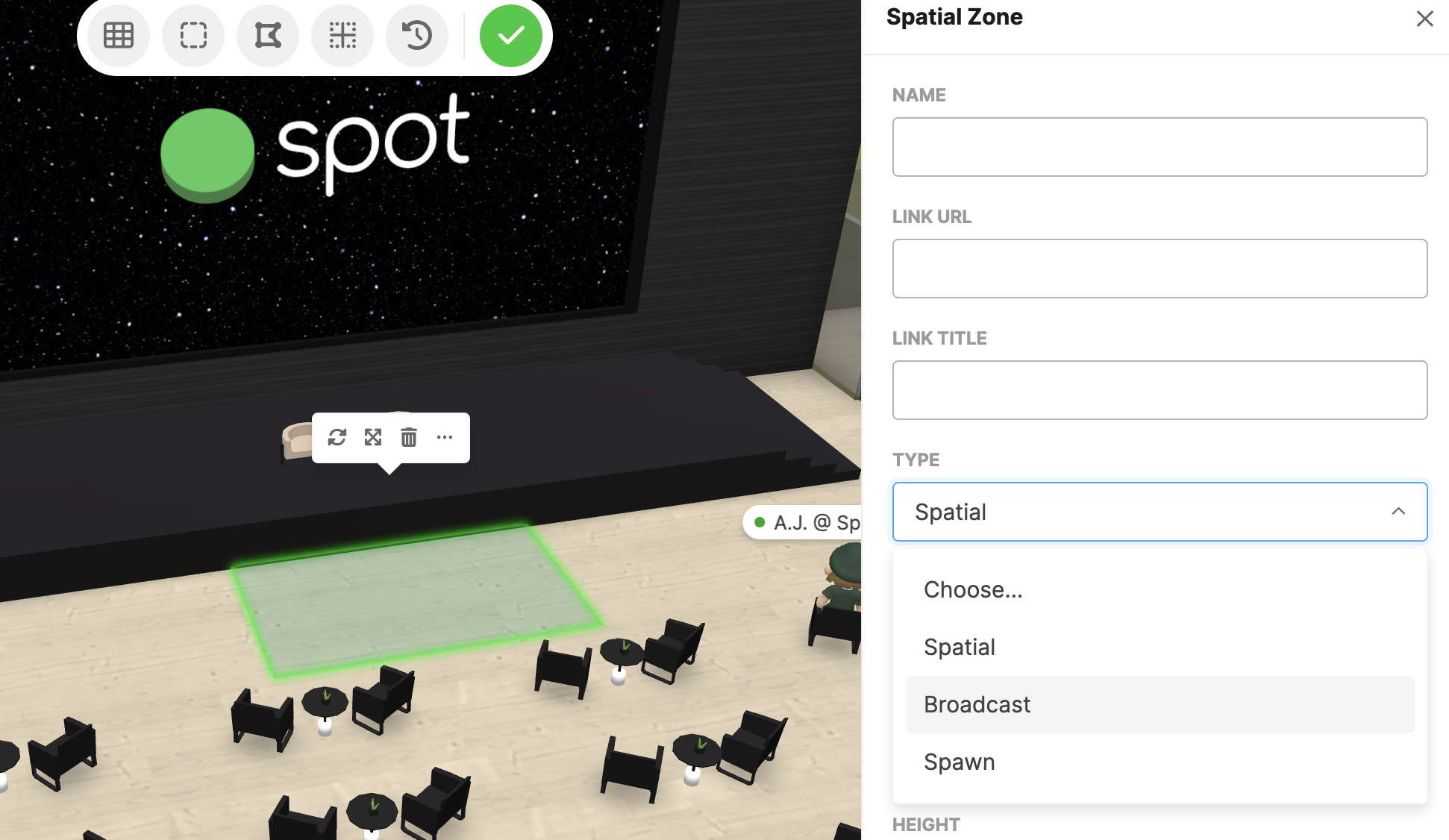
5) Move your broadcast zone where you’d like it (I recommend up on the stage!)
Easy as that! If you have any questions about Spatial Audio or Spatial Zones, just drop a note to support@spotvirtual.com.