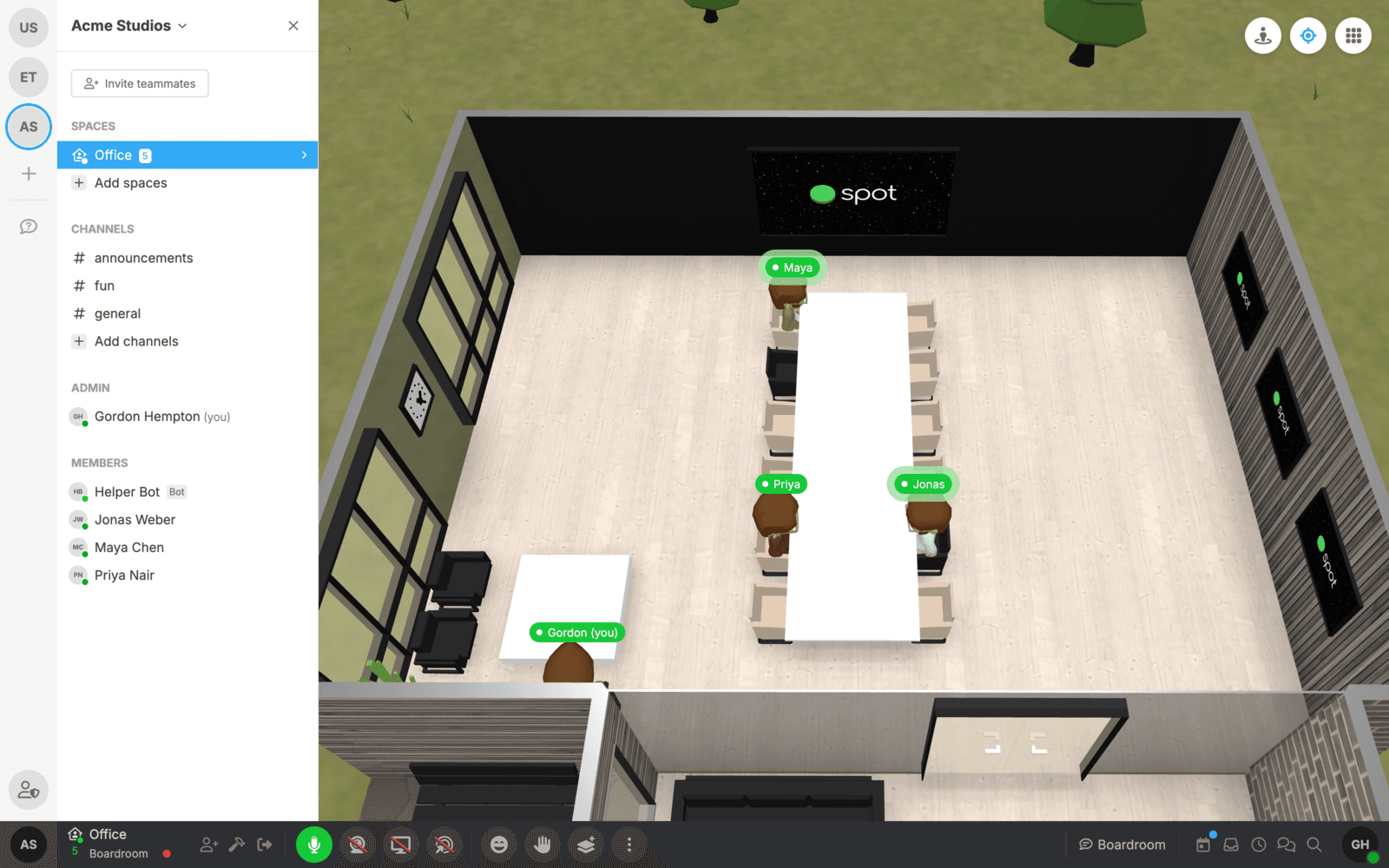

Some of the most important conversations at work are the ones nobody scheduled. In a virtual office, a meeting starts when two people sit down in a room, not when a calendar invite fires. Capturing those conversations has been one of our most frequently requested features, and starting today Spot does it for you: live transcription with exact speaker attribution, AI summaries, and action items, built directly into your office.
Your audio never leaves your device
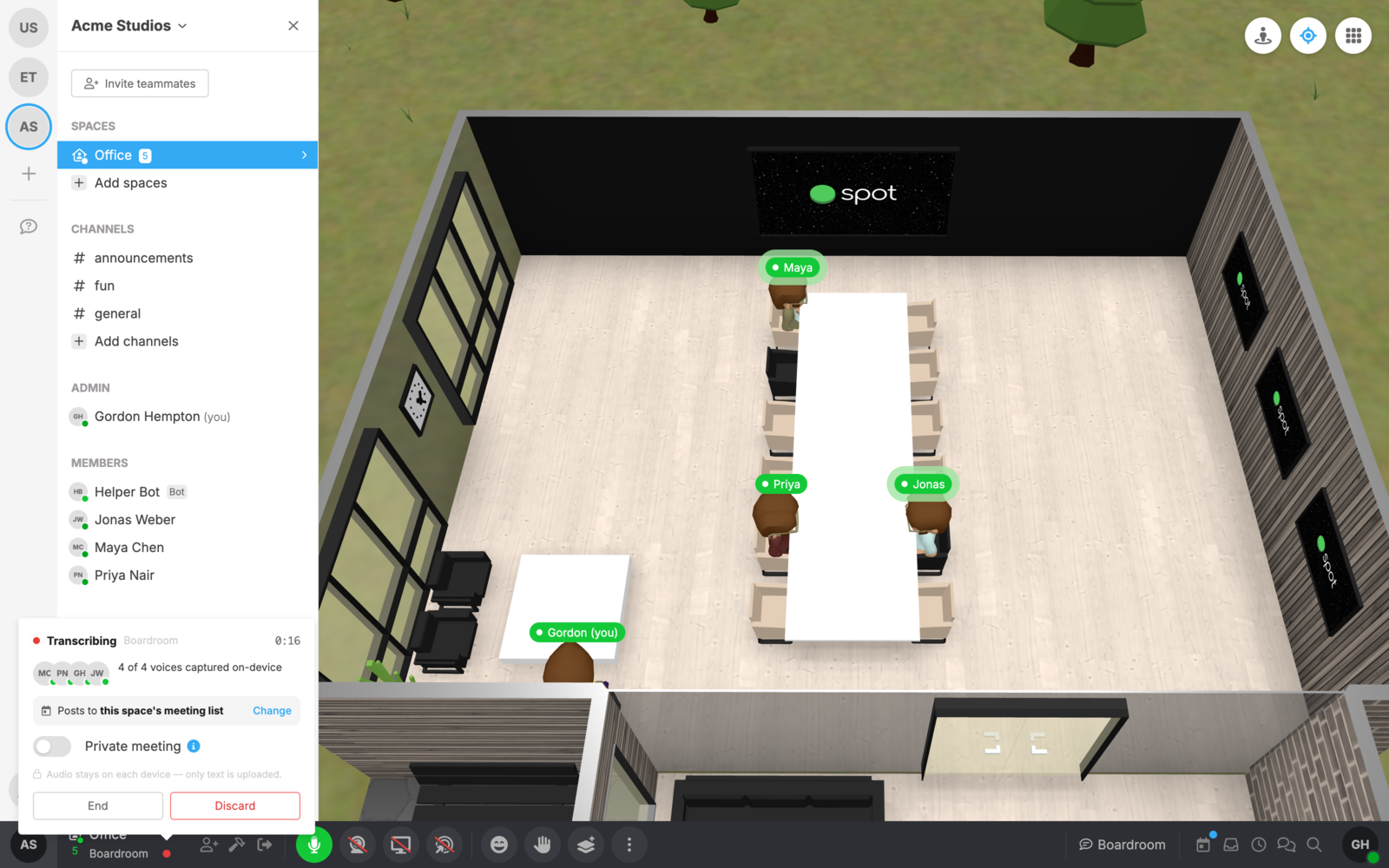
Most transcription products upload your meeting audio to the cloud. Spot doesn't. Transcription runs entirely on the devices already in the conversation: on the web it uses an on-device speech model accelerated by WebGPU, and the Spot desktop and mobile apps ship a native version that's even faster. The only thing that ever reaches our servers is text: each finished sentence, attributed to its speaker.
What about the teammate on a browser that can't run the model? Their audio is transcribed by another participant's device, which we call a scribe. Spot quietly elects the strongest device in the room to cover anyone who needs it, so the transcript stays complete without a single byte of audio leaving the meeting.
Every line, attributed to the right person
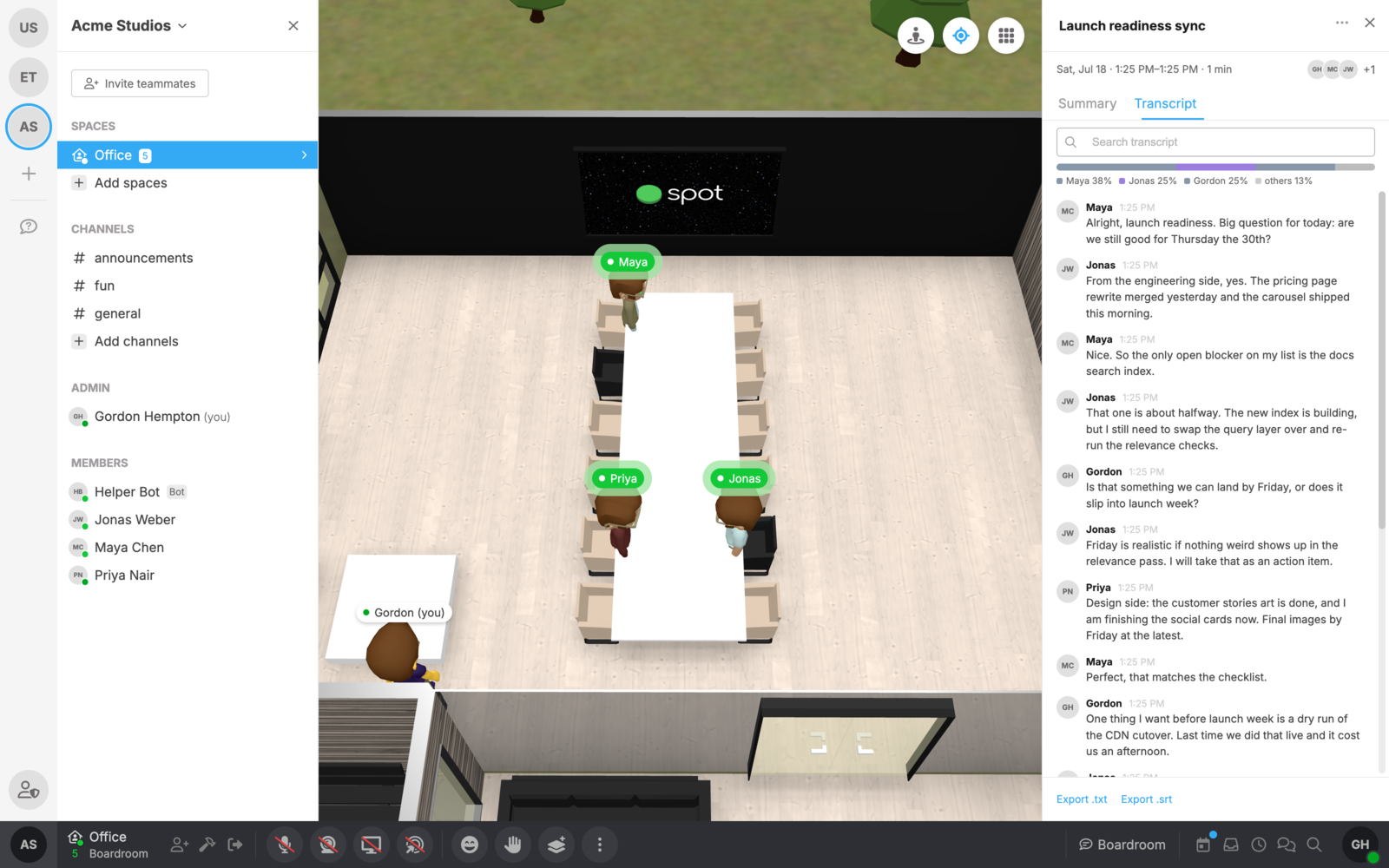
Because everyone in a Spot room has their own microphone track, we never have to guess who said what. There's no "Speaker 1" and "Speaker 2". Every line in the transcript carries the name and face of the person who actually said it, even when people talk over each other.
From conversation to action items
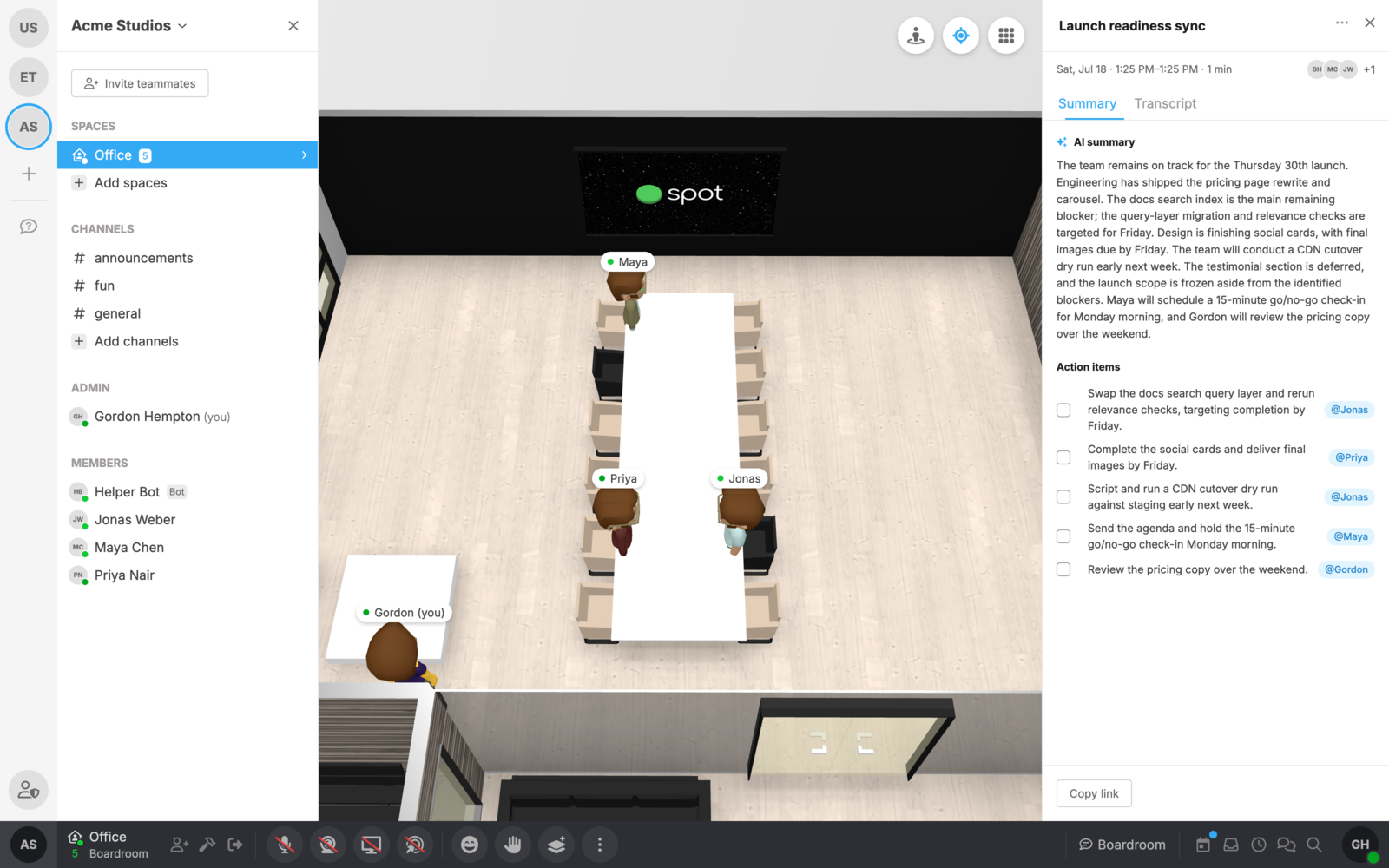
When the meeting ends, Spot turns the transcript into an AI summary and a checklist of action items, each one assigned to the person who took it on. Check items off as they're done, and share a link to the meeting with anyone who missed it.
Your meeting history, right in the calendar
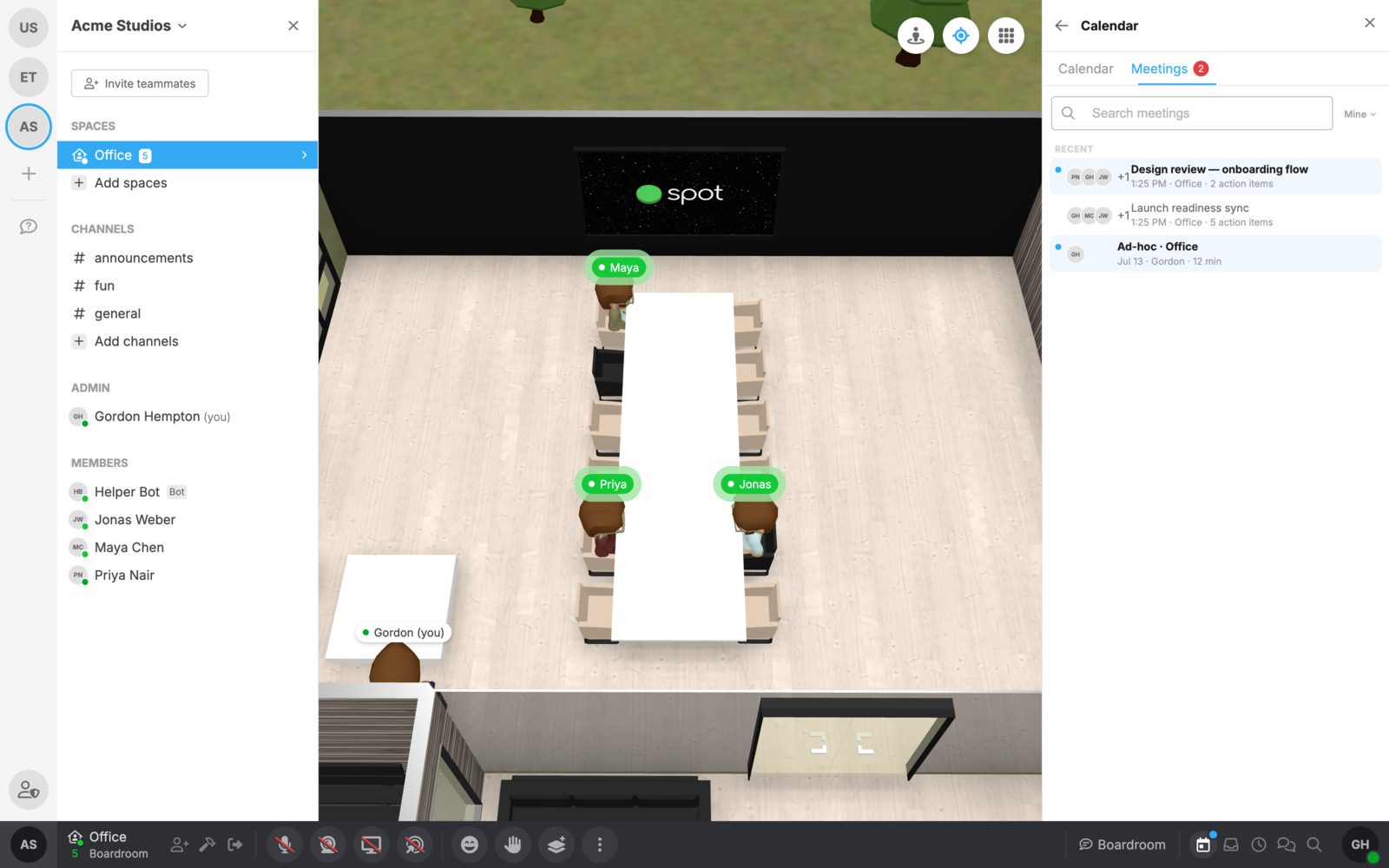
Meetings live where you'd expect them: alongside your calendar. The calendar panel has a new Meetings tab with your full meeting history, searchable and with unread indicators for the meetings you haven't caught up on yet. Rooms can transcribe automatically whenever a conversation starts, and meetings end themselves when the room empties or everyone's mic goes quiet. Step back in within a few minutes and the same meeting simply resumes.
Private by default, and in your control
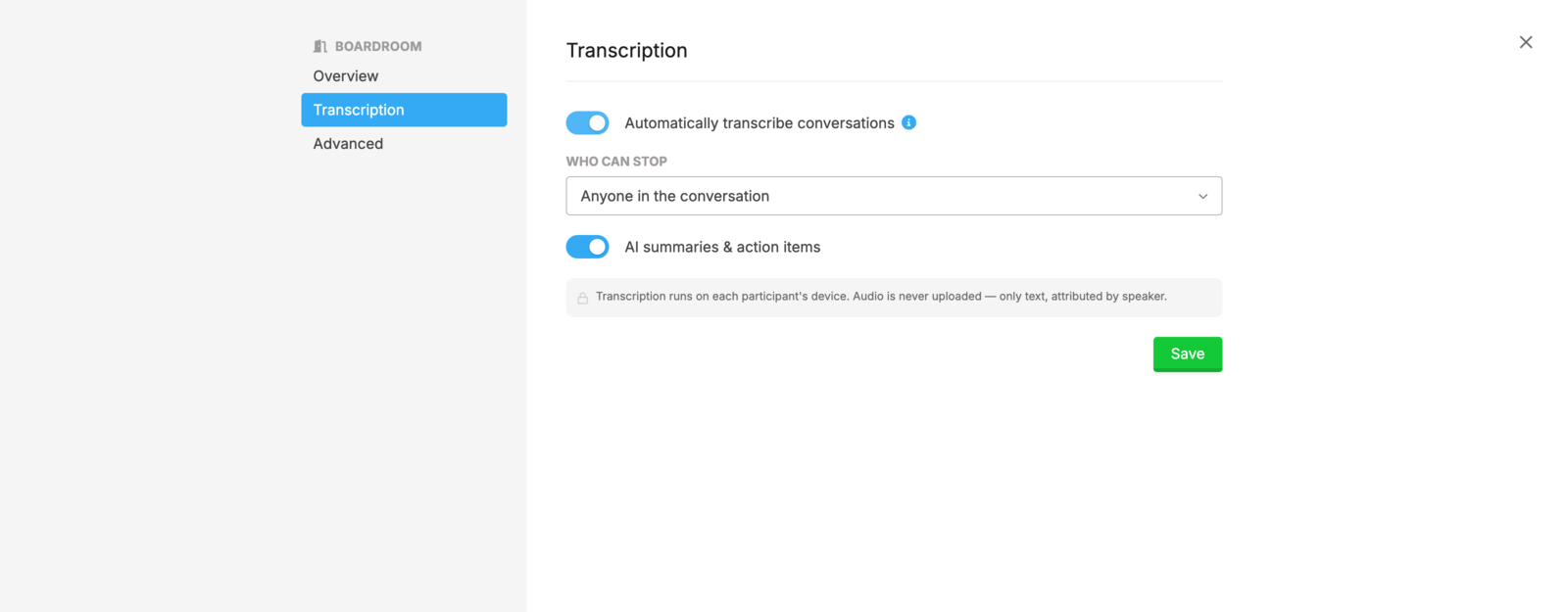
Transcription is controlled per room. Room admins decide whether a room transcribes automatically, who can stop a transcription, and whether AI summaries are generated at all. Meetings can be marked private, so they're visible only to the people who were in the room, and locking a room during a meeting makes it private automatically. Transcripts are kept until you decide otherwise: any meeting can be deleted, permanently, by the people who ran it.
Meeting transcription is rolling out now on paid plans, across Spot on the web, desktop, and mobile. Walk into a room, say what you're thinking, and let the office take the notes.