Find it again: introducing improved message search in Spot
Más información
Producto
Empresa
Tarifas
Resources
Descargar
Iniciar sesión
Start free trial
Start free trial
Producto
Empresa
Tarifas
Resources
Descargar
Iniciar sesión
Start free trial
Start free trial
All articles
Setting Up Spot
Toolbar, explained
Downloading Desktop App
Minimum System Requirements
Sign in with Google/Microsoft/Apple
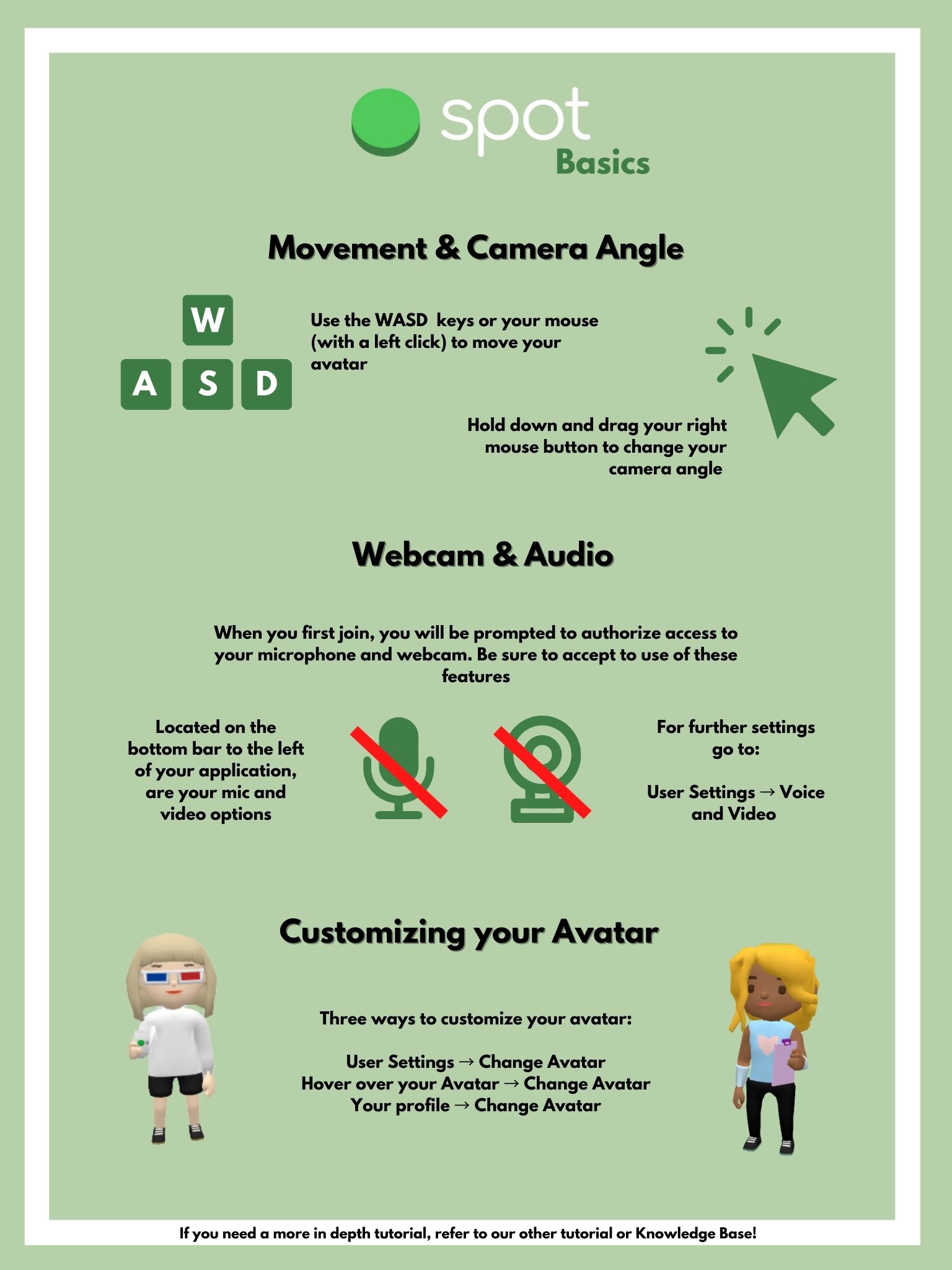
Navigating around the office
Hot Keys / Keybinds
User Settings
Language Preference
Notification Preferences
Customizing your Avatar
Messaging In Spot
Channels
Room Messaging
Starting a Direct Message
Starting a group direct message
Searching messages
Mute Channels
Screen Sharing
Sharing your screen
Viewing Others Screens
Recording in Desktop App
Shared browser
Member/Guest Management
Inviting your teammates
Manage your Invites
Roles
Custom Fields
Having Fun in Spot
Emotes 💃🕺
Interacting with Objects
Using Speakers to play DJ
Spatial Audio
What is Spatial Audio
Enabling Spatial Audio
Spatial Zones
Broadcast Zones
Hosting an Event
Presenter Mode
Event Templates
Creating an Event Link
Sample Event Agenda
Using Spot Daily
Quick Guide
Event/Meeting Links
Locked Rooms
Meeting Transcription
Selecting your Webcam Background
Headphones Mode
User Status
Quick Search
Grid View
Technical FAQ
Recommended Browser - Chrome
Permissions required for screen sharing
Microphone & Camera Permissions in Chrome
Bad audio connection
“Spot might be running a little slow” warning message
My music becomes quiet when someone turns on their mic (Windows 10)
I can’t see the environment outside my office
VPN FAQ
Spot WebRTC Port Numbers
File upload limitations
API Documentation
Submitting an Issue
Resetting the desktop app
Designing your office
Selecting a Template for your Office
Should I have private offices or a communal workspace?
Grouping/Instancing = Better Performance
Embedding images
Selecting and applying brand colors
Renaming Rooms
How To Change Your Environment
How To Change Wall Size
Custom 3D Assets
Add a new space
Artificial Intelligence (AI)
Spot Admin
Locked Rooms - Admin Setup
How to Use the Mention Function in Spot
Team Settings
SSO
Password Protected Spots
Public Spot URL
Upgrade Plan (Pricing) 🙌
Support
Using Spot Daily
Quick Guide
Previous
Sample Event Agenda
Next
Event/Meeting Links